
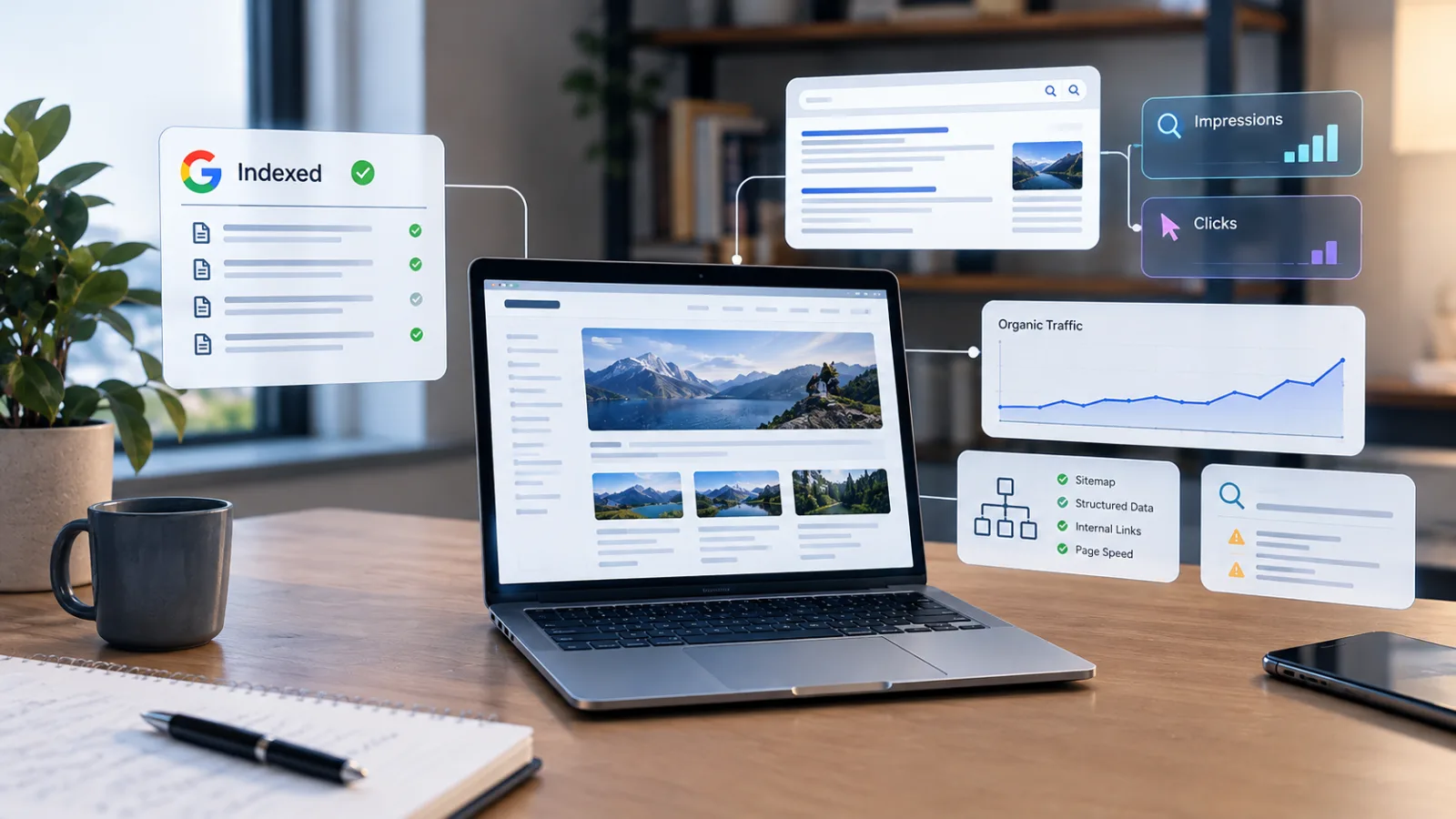
Your website is indexed by Google, your pages appear in Search Console, and you have published several articles. Yet your analytics dashboard shows little or no organic traffic. What is going wrong?
The most important thing to understand is that indexing does not guarantee rankings, visibility, or clicks. Indexing means a search engine has processed a page and made it eligible to appear in search results. Whether it actually appears for a relevant query—and whether someone clicks it—depends on additional factors.
Google explicitly explains that indexed pages are not guaranteed to appear in every search or maintain the same ranking for every user. Its systems evaluate relevance and other signals when deciding which results to show. Google's Page Indexing report documentation explains this distinction.
If your website is indexed but not attracting visitors, the next step is not automatically to publish more articles or submit the same URLs for indexing again. You need to identify where the process is breaking down: search visibility, rankings, click-through rate, content relevance, or the measurement of traffic itself.
This guide explains how to diagnose the problem using Google Search Console, analytics, and practical SEO checks.
1. Understand the difference between crawling, indexing, ranking and traffic
These four stages are related, but they are not interchangeable.
-
Crawling: A search engine discovers a URL and retrieves its content.
-
Indexing: The search engine processes the page and may store it in its index.
-
Ranking and serving: The search engine determines whether the page is relevant to a particular search and where or how it should appear.
-
Traffic: A person clicks a search result and visits your website.
A page can pass the first two stages and still attract no visitors.
For example, imagine you publish an article about choosing a website design tool. Google crawls it and indexes the URL. However, if the article does not appear prominently for relevant searches, few people may see it. If it does appear but its title is vague, users may choose another result instead.
The example is illustrative, not a measured result.
The practical lesson is simple: confirming that a page is indexed answers a technical question, not a traffic question.
Google also notes that meeting its minimum technical requirements does not guarantee indexing or appearance in search results. See its technical requirements for Google Search.
2. Diagnose the problem using Google Search Console
Before changing your website, establish what is actually happening.
Open Google Search Console and select the correct website property. Go to the Performance report for Search results and examine clicks, impressions, click-through rate (CTR), and average position.
Use a meaningful comparison period, such as the last 28 days versus the previous 28 days. If your website is new or receives very little traffic, also inspect a longer period where data is available. Avoid drawing conclusions from just one or two days.
Here is how to interpret the patterns.
|
What you see |
What it may indicate |
What to investigate |
|---|---|---|
|
Almost no impressions |
Pages rarely appear for the searches being measured |
Topic demand, relevance, rankings, indexing and internal links |
|
Impressions but very few clicks |
Searchers see your pages but seldom select them |
Average position, title, snippet and search intent |
|
Some clicks, but traffic remains low |
Visibility or demand may be limited to a small number of searches |
Pages and queries generating clicks |
|
Traffic suddenly declines |
A technical change, search demand shift, ranking change or measurement issue may be involved |
Compare dates, pages, queries, devices and search types |
|
Search Console shows clicks but analytics shows almost none |
The two systems may be measuring different events or sessions |
Tracking setup, consent settings, redirects and reporting differences |
These patterns are diagnostic clues, not definitive explanations. Several causes can produce similar symptoms.
Google's official guide to investigating Search traffic drops recommends examining the performance data to understand which parts of a website have changed and how.
Check individual pages, not just the total
A website-wide total can hide the real problem.
In Search Console:
-
Open Performance → Search results.
-
Set a date range.
-
Open the Pages tab.
-
Select a page that should attract search traffic.
-
Open the Queries tab to see which searches generated impressions and clicks.
-
Compare impressions, clicks, CTR and position.
This reveals whether the page is appearing for relevant queries or attracting impressions for searches that do not match its purpose.
If the page has no meaningful impressions, rewriting its title alone may not solve the problem. If it receives many impressions but few clicks, the title and search-result presentation deserve closer examination.
3. Your content is indexed but does not match what people are searching for
One of the most important possibilities is a mismatch between your article and the reader's actual question.
Suppose someone searches for “how to fix a slow WordPress website.” They probably want a practical troubleshooting guide, not a broad introduction to website performance.
An article can contain accurate information and still be a poor match for a particular search.
Search intent commonly falls into four broad categories:
-
Informational: The person wants to understand something or solve a problem.
-
Commercial investigation: The person is comparing options before making a decision.
-
Transactional: The person wants to buy, subscribe, download or take another action.
-
Navigational: The person is looking for a specific website, brand or destination.
These categories are useful working models, not rigid rules. A single search can have mixed intent.
How to identify a mismatch
Search for the main phrase your article targets and examine the results that appear. Look at the type of pages ranking: tutorials, product pages, comparisons, news reports, tools or definitions.
Ask yourself:
-
Does my page answer the same question?
-
Does it provide the depth and format the reader appears to need?
-
Does the introduction answer the question directly?
-
Does the article provide useful steps, examples or evidence?
-
Is the page trying to cover too many unrelated subjects?
For instance, an article titled “Complete Guide to Digital Marketing” may struggle to serve someone searching for a specific solution such as “how to measure email campaign conversion rate.”
A more focused article could address that narrower problem with a clear explanation, calculation, worked example and troubleshooting advice.
Do not choose a topic solely because a keyword tool reports search volume. Search demand estimates are not guarantees of actual visits, and broad topics may be difficult to compete for. Evaluate relevance, competing results, audience needs and your ability to provide something useful.
4. Your page may be ranking too low to attract clicks
A page can be indexed and relevant but still receive little exposure because it appears far down the results.
Indexing is not a ranking achievement. Google explains that its systems select results according to relevance and other factors, and that not every indexed page will be shown for every query. See How Google Search works.
Check the average position for the page and its important queries in Search Console. Remember that average position is an aggregate metric: results can differ by query, location, device and search context. A single average should not be treated as the exact position every visitor sees.
If your page consistently appears below more useful or relevant competing pages, investigate why.
Compare your page with the results that are actually visible:
-
Are competing articles more specific?
-
Do they answer the main question earlier?
-
Do they include original examples, data or clearer instructions?
-
Is your information outdated?
-
Does your page demonstrate relevant expertise?
-
Are there established sites with stronger topical relevance or recognition?
This comparison should identify meaningful improvements, not encourage copying competitors.
You cannot force a higher position by repeating the target keyword more frequently. Nor is there a universal word count that guarantees ranking. Google's guidance on helpful, reliable, people-first content encourages creators to offer original information, substantial value and content that genuinely helps the intended audience.
5. Your content may be too generic or add too little original value
Publishing regularly can help you build a useful website, but publishing more pages does not automatically produce more search traffic.
If your articles repeat information already available across many websites without adding meaningful explanation, original examples, research or practical guidance, readers have little reason to choose them over competing results.
Google's guidance on helpful, reliable, people-first content explicitly asks creators to consider whether their pages provide original information, substantial value and insights beyond the obvious.
This matters especially for websites that publish large volumes of AI-assisted articles. AI tools can support research, organisation and drafting, but generating many pages with little original value can fall under Google's scaled content abuse policy. The issue is not simply whether AI was used; it is whether content is being produced primarily to manipulate rankings rather than help people.
How to make an article more useful
Before publishing, ask what the reader gains from your page that they cannot easily get from a generic summary.
Depending on the subject, that additional value could include:
-
A worked example using clearly explained assumptions.
-
Original screenshots, illustrations or demonstrations.
-
A comparison based on transparent criteria.
-
A practical troubleshooting sequence.
-
Primary-source references and careful explanations of what they establish.
-
Limitations, exceptions and common mistakes.
-
An update that materially improves outdated guidance.
For example, an article explaining website indexing becomes more useful when it distinguishes “URL is on Google” from “URL receives search impressions,” shows readers where to find those metrics, and explains what to do with each possible result.
Do not add unsupported personal stories or fabricated case studies to make content appear original. If you have not tested a tool or measured a result, explain the procedure readers can follow rather than pretending to have performed it.
6. Your website may have technical SEO problems that are not obvious from indexing status
An indexed page can still have technical or structural problems that limit its performance. However, do not assume every technical SEO issue is a ranking problem: some affect discovery, some affect how a page is represented in search, and others may have little practical effect.
Start with the following checks.
Check the canonical URL
A canonical URL tells search engines which version of a page should be treated as the main version when similar or duplicate URLs exist.
For example, the same content might be accessible through different URL variations because of parameters, trailing slashes, or HTTP and HTTPS versions. Search engines may group these URLs and select one representative page.
Use URL Inspection in Search Console to check the user-declared canonical and the canonical selected by Google. If Google selects a different URL, investigate why before changing anything.
Read Google's documentation on canonicalization.
Check for accidental noindex or crawl restrictions
Review the page's robots meta tag, HTTP headers and robots.txt rules. Confirm that important pages are publicly accessible and intended to be indexed.
A page can have an unexpected indexing directive or configuration that affects its eligibility. Search Console's URL Inspection tool can help you investigate a particular URL.
Do not blindly remove every noindex directive or open every restricted path. Some pages—such as private account pages, internal search results or duplicate utility pages—should not be indexed.
Check the page's actual content and response
For important URLs, verify that:
-
The page loads successfully for visitors.
-
The main article content is present in the rendered page.
-
The page does not redirect to an unintended destination.
-
Internal links point to the correct, preferred URLs.
-
The page is usable on mobile devices.
-
Important information is not hidden behind an interaction that prevents users or search systems from accessing it.
Google's technical requirements cover the baseline conditions for eligibility, while its crawling-error troubleshooting guide explains how to investigate access and crawling issues.
Improve internal linking
A page that is difficult to discover from the rest of your website may be less useful to visitors and harder for search engines to find through normal site navigation.
Link to relevant articles from related pages using descriptive anchor text. For example, an article about website traffic could link to a detailed guide on Search Console if that guide exists and genuinely helps the reader.
Create a clear path from your homepage or category pages to important content. Avoid orphan pages—URLs that have no useful internal links pointing to them.
A sitemap can help search engines discover URLs, but it is not a substitute for a navigable website, and it does not guarantee rankings or traffic.
7. Your titles and descriptions may not persuade people to click
If your pages receive impressions but few clicks, the search-result presentation deserves attention.
A title such as “SEO Tips” tells readers very little. A more descriptive title, such as “How to Diagnose Low Organic Traffic in Google Search Console,” makes the page's purpose clearer.
A useful title should accurately communicate what the reader will get, use natural language and distinguish the page from similar results.
Google can generate title links from several sources, including the HTML title, the visible page heading and other prominent page information. It may rewrite a title if its systems determine that another version better represents the page. See Google's title-link guidance.
Meta descriptions also deserve attention, but they are not a guaranteed script for the snippet shown in search results. Google primarily generates snippets from page content and may use a meta description when it considers it a better summary. See Google's snippet documentation.
A practical example
Weak title:
Website Traffic
More descriptive title:
Why Your Website Gets No Organic Traffic: 7 Checks to Run
The second title sets a clearer expectation, but it is only better if the article genuinely covers those checks. Do not use exaggerated promises or numbers that the content does not deliver.
Also avoid changing titles repeatedly based on tiny fluctuations in clicks. Use a meaningful data window, account for search position and query mix, and change one major element at a time where possible. That makes the result easier to interpret.
8. Your topic may have limited demand—or strong competition
Not every indexed page targets a query that people search for frequently.
A highly specialised article might be valuable to a small audience, while a broad topic may have substantial demand but also attract established competitors. Both can receive little traffic, but they require different strategies.
Use keyword research tools to explore related phrases, questions and search intent. Treat their volume figures as estimates rather than precise counts of future visitors.
Look for specific questions that your website can answer well. A smaller, clearly defined topic can be a sensible starting point when your website has limited recognition and resources. However, narrow topics are not automatically easy to rank for, and their traffic potential may also be limited.
Review the results for your intended query. If the first page is dominated by authoritative documentation, major publications or specialist sites, ask whether your page offers a distinct benefit that fits the query.
For a site covering UI/UX, AI and digital marketing, for example, a generic overview of “artificial intelligence” is likely to be less targeted than a practical article explaining how to evaluate AI-generated UX research summaries. The more specific topic is useful only if it matches a real audience need and the article answers it well.
9. You may be measuring traffic incorrectly
Sometimes the apparent problem is partly a reporting problem.
Google Search Console measures search-result performance, including impressions and clicks. Google Analytics measures activity on the website, such as sessions and user interactions. These are different systems, so their totals should not be expected to match exactly.
A click recorded in Search Console does not always translate into a corresponding analytics session. The visitor may leave before the analytics tag runs, tracking may be misconfigured, or privacy and consent settings may affect measurement.
Start by checking that you are viewing the correct website property, protocol and hostname in both tools. If your website uses redirects or has separate subdomains, make sure your reporting setup accounts for them.
Then verify that your analytics tag is installed and firing on the pages you want to measure. Test the site using your analytics platform's debugging or real-time features where available.
Use Google's guide to connecting Search Console and Analytics to understand how search queries and website behaviour can be analysed together.
It is also important to distinguish organic search traffic from all traffic. Visitors arriving through social media, referrals, email campaigns or direct visits may not appear in an organic-search report.
10. A practical 30-day plan to diagnose low website traffic
You do not need to overhaul your entire website at once. Start with the pages and problems for which you have evidence.
Days 1 - 3: Establish a baseline
Review Search Console clicks, impressions, CTR and average position. Compare periods and identify your most important pages. Confirm analytics tracking is working.
Days 4 - 7: Check technical eligibility
Inspect key URLs for indexing directives, canonical selection, loading problems, redirects and internal links. Fix confirmed issues before making speculative changes.
Week 2: Improve a small group of articles
Choose pages with a clear opportunity. Improve their match to search intent, answer the main question early, add useful examples and remove unnecessary repetition.
Weeks 3 - 4: Measure and learn
Compare performance for the revised pages against the baseline. Check whether impressions, relevant queries, CTR or clicks changed. Record the result and decide what to test next.
This is a diagnostic schedule, not a promise of traffic growth within 30 days. Search systems may take time to recrawl pages, and a technically correct update may not produce a measurable ranking change.
Google says that recrawling can take from a few days to a few weeks, and requesting indexing does not guarantee inclusion. See Ask Google to recrawl your URLs.
Frequently asked questions
Why is my website indexed but not showing in Google search results?
Indexing means a page is eligible to appear, not that it will appear for every query. The page may be irrelevant to the search, have limited value for the intended audience, or not be selected for the results you are checking. Inspect the URL in Search Console and examine its impressions and queries.
How long does it take to get traffic after indexing?
There is no guaranteed timeline. A page may receive impressions soon after it becomes eligible, while another may receive very few for a long time. Results depend on the query, competition, relevance, demand and other factors. Use performance data rather than assuming that a fixed waiting period will solve the problem.
Does submitting a sitemap increase rankings?
A sitemap helps search engines discover URLs, particularly when a website is new or has many pages. It does not guarantee indexing or higher rankings. Google explains this in its crawling and indexing FAQ.
Should I keep requesting indexing for the same URL?
Not repeatedly without a reason. Request a recrawl after publishing a meaningful change or fixing an issue, then allow time for processing. Repeated requests do not force a page to rank or guarantee that it will appear in results.
Is publishing more articles the fastest way to increase traffic?
Not necessarily. More articles can expand your coverage when each one serves a real audience need. Publishing many repetitive or low-value pages may waste effort and can conflict with Google's scaled content abuse policy. Improve the usefulness of existing pages where the data suggests an opportunity.
Can a website have zero organic traffic even when everything is technically correct?
Yes. Technical eligibility is only one part of search performance. A page may target a query with little demand, face strong competition, or fail to offer a sufficiently relevant answer. Technical checks are necessary, but they cannot guarantee visitors.
Conclusion: Find the bottleneck before publishing more content
When a website is indexed but receives little traffic, the solution is not automatically another article, another sitemap submission or another SEO plugin.
First, identify what the data says. Almost no impressions suggests a different investigation from many impressions but few clicks. A sudden decline requires a different approach from a new website that has never attracted meaningful search traffic.
Check technical eligibility, understand the queries your pages appear for, evaluate search intent, improve content where it adds real value, and verify that analytics measures visitors correctly.
Most importantly, treat SEO as an ongoing process of diagnosis and improvement not a checklist that guarantees rankings. An indexed page has an opportunity to be discovered. Earning visibility and clicks requires a relevant page, a real audience need and evidence led improvements.